
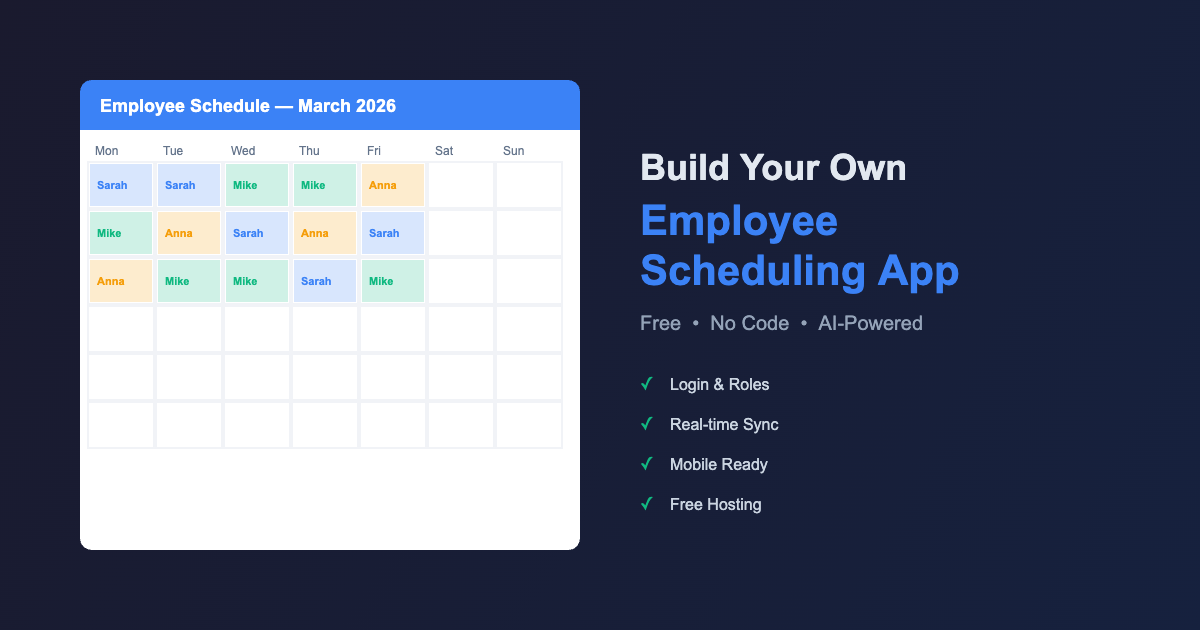
In this step-by-step tutorial, you’ll learn how to build an employee scheduling app with AI — completely free, using tools like Claude AI, Supabase, and Vercel. Whether you run a retail store, restaurant, or service business, this guide will help you create a custom shift scheduler and scheduling tool that fits your exact needs — with time tracking, team members management, and real-time sync built in.
Want to build an employee scheduling app with AI — for free? This practical guide walks small business owners through creating a fully functional scheduling web app with login, roles, task management, and real-time sync, time tracking, and open shifts management — without writing a single line of code yourself.
🌐 Loe seda juhendit eesti keeles: Kuidas ehitada AI-ga töögraafiku rakendus — samm-sammult juhend
Why Build Your Own Employee Scheduling App?
Managing employee schedules in Excel and WhatsApp works… until you have 5+ employees and multiple locations. Then information starts getting lost, versions get mixed up, and nobody knows which one is the latest. You can’t easily create shifts, assign shifts to team members, or handle request time off — it’s pure chaos.
SaaS employee scheduling software (Planday, When I Work, Deputy, etc.) cost $3–7 per employee per month. With 50 employees, that’s $150–350/month or $1,800–4,200/year — and you still have to adapt to their system.
The alternative: build your own employee scheduling app with AI that does exactly what YOU need — custom-made for your business — a real scheduling tool built around your workforce management needs. This guide shows you how.
What You’ll Get: Your Custom Employee Scheduling App
By the end of this guide, you’ll have:
- A web application where every employee can see their own schedule
- A role system — admin, manager, employee — each with different permissions
- Regional management — different areas, different managers
- A time-off request system — employees submit requests, managers approve
- Real-time sync — all changes save instantly to the cloud
- Free hosting — $0/month, works on any device in the browser
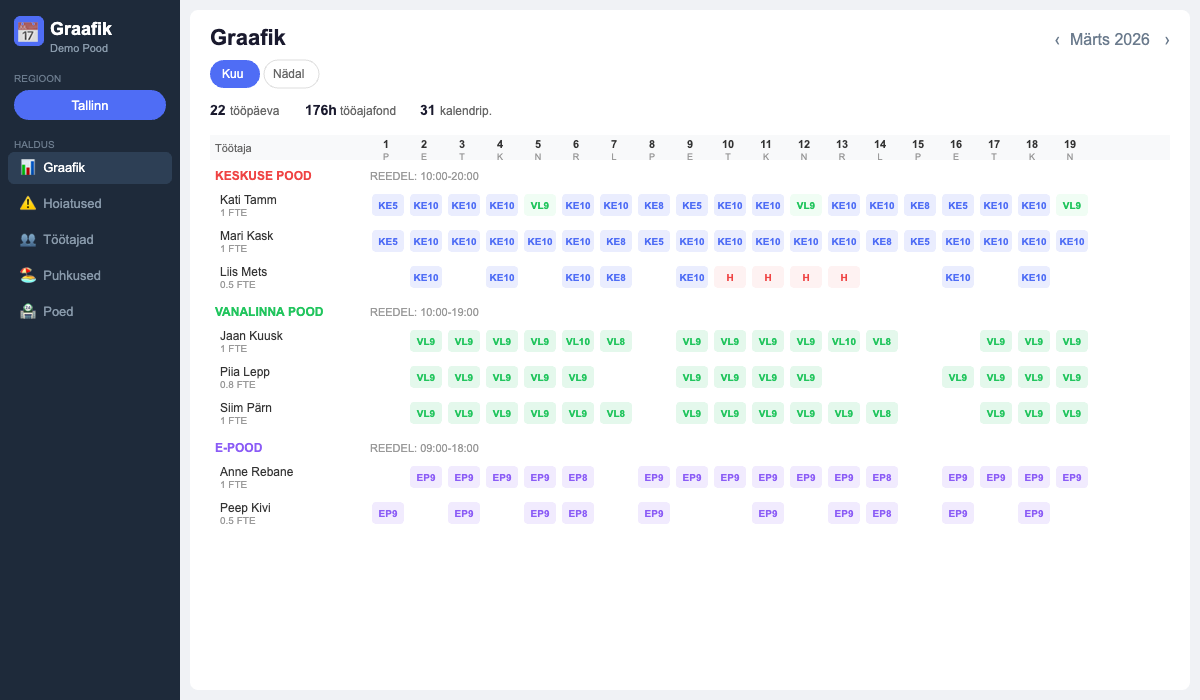
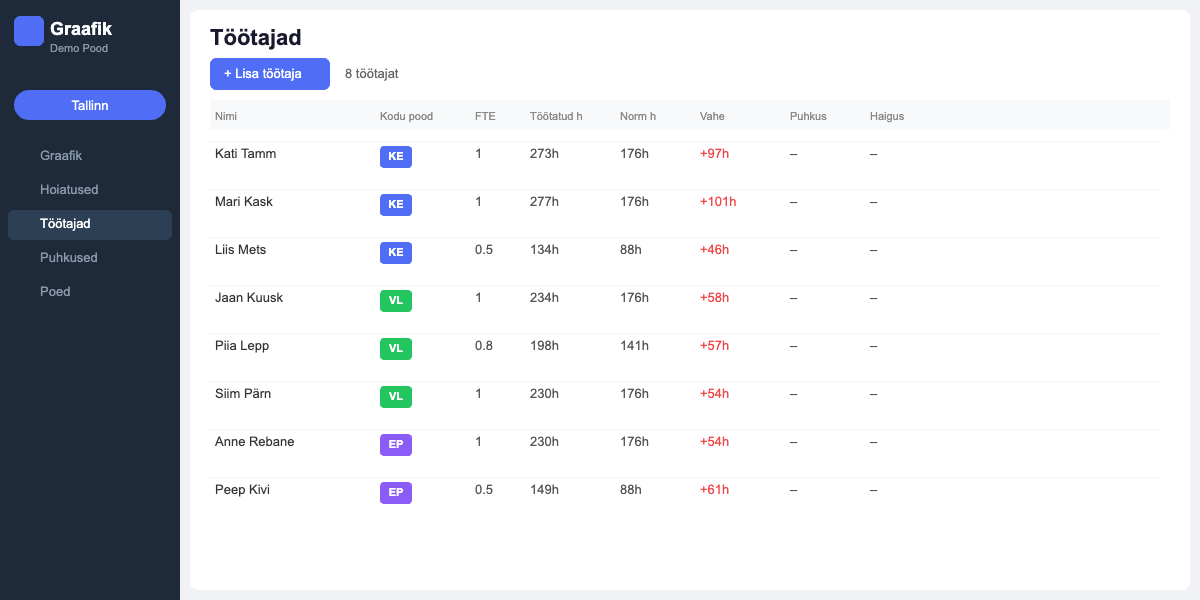
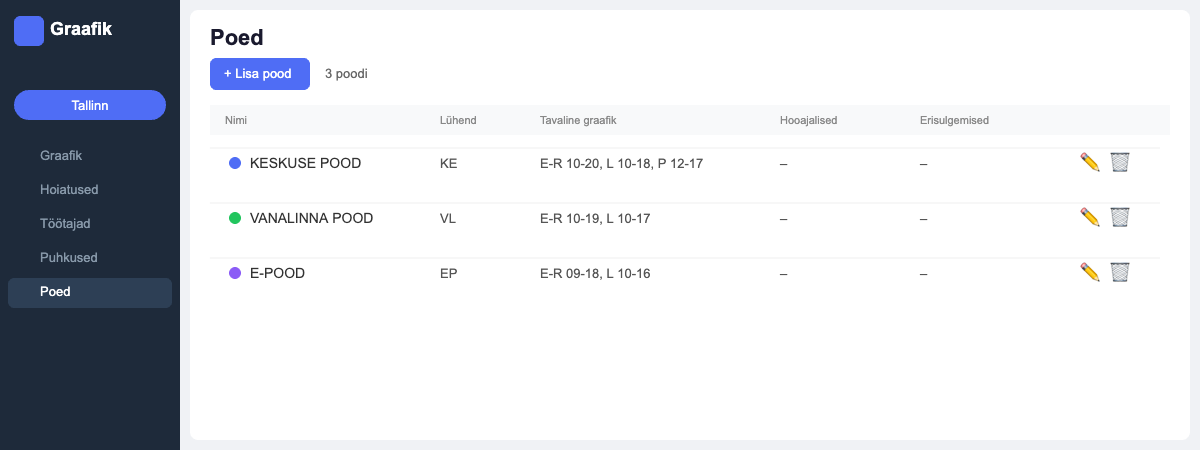
👉 Try the Live Demo — See a working employee scheduling app built using this exact guide. Explore the schedule grid, employee management, and store configuration — all running in your browser.
Prerequisites for Your Employee Scheduling App
- You do NOT need to know how to code
- You have a computer and internet
- You know how to copy and paste
- You have patience to iterate with AI (this isn’t a one-click solution!)
- Time: 2–4 evenings for the first version
Employee Scheduling App Tools Overview
1. AI Assistant — Your “Developer”
You’ll use an AI assistant (such as Claude, ChatGPT, or similar) as a conversation partner. You describe what you need — from workforce management features to time clock functionality, and it writes the code for you.
Why a conversational AI?
- You tell it what you want in plain language
- It writes code, tests it, and fixes bugs
- You don’t need to know what JavaScript, SQL, or APIs are
- If something doesn’t work, you simply say “this doesn’t work, fix it”
2. Supabase — Your Database (Free)
Supabase is a free cloud database that stores your app’s data. Think of it as real-time management tools for your data — like an Excel spreadsheet in the cloud that your app can access.
What Supabase provides:
- Data storage (employees, schedules, stores, etc.)
- User authentication (login system)
- Security rules (who can see and edit what)
- Free up to 50,000 rows and 500 MB
3. Vercel — Your Hosting (Free)
Vercel keeps your app live on the internet. Connect it to GitHub and every time you update your code, Vercel automatically updates the live version too.
What Vercel provides:
- Your app is online at
your-project.vercel.app - HTTPS (secure connection) automatically
- Free up to 100 GB of traffic per month
- Automatic deployment from GitHub
4. GitHub — Your Code Repository (Free)
GitHub is where your code files live. Think of it as Dropbox for code. Vercel reads files from here and puts them online.
Step 1: Set Up Accounts for Your Employee Scheduling App (30 min)
1.1 GitHub Account
- Go to github.com → Sign up
- Create a new repository: click “+” → New repository
- Give it a name (e.g.,
my-schedule) - Choose “Public” or “Private”
- Add a README file
- Click “Create repository”
1.2 Supabase Account
- Go to supabase.com → Start your project
- Sign in with your GitHub account
- Create a new project → choose a region (pick the one closest to you)
- Save your project URL and API key (found in Settings → API)
1.3 Vercel Account
- Go to vercel.com → Sign up
- Sign in with your GitHub account
- Connect your repository: Import Git Repository → select your repo
- Vercel configures everything automatically
Step 2: Database for Your Employee Scheduling App (1–2h)
This is the most “technical” part — you’ll need to run code in the Supabase SQL Editor. Don’t panic! You just copy the code from AI and hit “Run”.
What to Ask AI:
“I want to build a work schedule web application. I have [X] employees and [Y] stores/locations. I need: a weekly schedule showing who works where, different roles (admin, manager, employee), managers control their own region, employees see their own schedule. The database is Supabase. Let’s start with the database structure. Give me the SQL commands to run in the Supabase SQL Editor.”
Typical Tables You’ll Need:
| Table | Purpose |
|---|---|
profiles | Users: name, email, role, region |
stores | Stores: name, location, opening hours |
employees | Employees: name, home store, FTE |
schedules | Schedule: who, where, when, how many hours |
wish_requests | Time-off requests: who, when, status |
Security Rules (Row Level Security)
This is important! In Supabase, you can set up rules so that employees only see their own data, managers see their region, and admins see everything.
“Add RLS (Row Level Security) rules so that employees can only see their own data and managers can see their region.”
Step 3: Employee Scheduling App Structure (2–3h)
Files You’ll Need:
my-schedule/
├── index.html          ← Main page (HTML structure)
├── style.css           ← Appearance (colors, layout)
├── app.js              ← Main logic
├── data.js             ← Data management
├── auth.js             ← Login system
├── supabase-config.js  ← Supabase connection settings
└── icons.js            ← Icons (SVG)
Recommended Build Order:
- Login system — so user identity works
- Main view — a simple schedule table for one week
- Data loading — reading data from Supabase
- Data editing — adding hours by clicking cells
- Roles — different views based on user role
- Time-off requests — employee request system
- Polish — mobile view, colors, icons
Step 4: Employee Scheduling App Data Management (Key-Value Store)
Here’s a clever approach worth knowing: use a key-value store pattern. Instead of creating a separate table for every data type, you store everything through a single table:
| Key | Value |
|---|---|
stores | [{name: "Store 1", address: "..."}, ...] |
employees | [{name: "John", store: "Store 1"}, ...] |
schedule_2026_15 | {...weekly schedule data...} |
Why this works well:
- Simple structure — one table in Supabase
- Flexible — add new data types without changing the table
- Fast — data loads in one query, not multiple
Step 5: Employee Scheduling App Role System (1–2h)
Three Roles:
Admin: Can see and edit everything, manages users, has access to all views.
Manager: Can see all schedules but only edit their own region. Other regions are read-only.
Employee: Can only see their own schedule, sees their home store and work stores, can submit time-off requests.
Step 6: Employee Schedule View (2–3h)
This is the heart of your app — a weekly table showing who works where.
Key Elements:
- Row = one employee
- Column = one day (Mon, Tue, Wed, Thu, Fri, Sat, Sun)
- Cell = store + hours (e.g., “Main St 8h”)
- Week navigation — forward and back arrows
- Store view — filter by individual store
Useful Additions:
- Store opening hours in the header (e.g., “Mon–Fri 10–18, Sat 10–16”)
- Total hours at the end of each employee row
- Color-coded vacation/sick leave markers
- Pattern copying — copy last week and modify
Step 7: Employee Scheduling App Time-Off Requests (1–2h)
This is the feature employees appreciate the most!
How It Works:
- Employee opens the time-off request view
- Selects days from the calendar
- Adds a note (e.g., “doctor’s appointment”)
- Clicks “Submit request”
- Manager sees pending requests
- Approves or rejects them
- Employee sees the updated status
Step 8: Deploy Your Employee Scheduling App (30 min)
Uploading Files to GitHub:
- Go to your GitHub repository
- Add file → Upload files
- Drag ALL files (index.html, style.css, app.js, etc.)
- Click “Commit changes”
Once Vercel is connected to GitHub, deployment happens automatically! Every time you update files on GitHub, Vercel updates the live version in about 1 minute.
Your app is now live at: your-project.vercel.app
Step 9: Test Your Employee Scheduling App
This is the MOST IMPORTANT step. Don’t expect the first version to be perfect!
Testing Checklist:
- Login works for all roles
- Admin sees everything, employee only their own data
- Schedule changes are saved
- Another browser/device sees the changes
- Time-off request submission and approval works
- Usable on mobile
- Week switching works correctly
When Something Doesn’t Work:
Tell AI exactly: “When I log in as an employee and go to the schedule view, [describe what happens]. But it should [describe what you expect]. Fix this.”
Pro tip: The more specific you are, the faster AI fixes it. “It doesn’t work” is bad. “When I click the Monday cell, nothing happens — it should open a store selector” is good.
Costs
| Service | Free Tier | Good Enough For… |
|---|---|---|
| Supabase | 50,000 rows, 500 MB | ~100 employees, years of data |
| Vercel | 100 GB traffic/month | Thousands of visits per day |
| GitHub | Unlimited (public/private) | Forever |
| Total per month | $0 |
For comparison: a typical SaaS scheduling solution with 50 employees = $150–350/month = $1,800–4,200/year.
Tips and Lessons Learned
1. Start Small
Don’t try to build the “final version” right away. Let the first version be just a table on screen. Add functionality step by step.
2. Think Through Roles From the Start
Who sees what? Who edits what? Think this through before you start, not after. This saves a lot of rework.
3. Test on Real Hosting
Don’t get stuck in AI preview mode. Deploy to Vercel and test there. Some things (like the Supabase connection) only work in a real environment.
4. Every Error Is Progress
You WILL get errors. That’s normal. Copy the error message to AI and ask what’s wrong. 99% of the time, AI fixes it immediately.
5. Write Your Requirements Precisely
The more specific you are, the better the result. Bad: “make the schedule look better.” Good: “change vacation day cells to green and add store opening hours in the header.”
6. Save Intermediate Versions
Before making a big change, save a copy of your files. If something breaks, you can go back.
FAQ
Q: Do I need to know how to code?
A: No. You need to be able to clearly describe what you want. AI writes the code for you.
Q: Is it secure?
A: Yes — Supabase provides SSL encryption, user authentication, and Row Level Security rules. You don’t store passwords in your code.
Q: What if Supabase or Vercel becomes paid?
A: Both have very generous free tiers. Even if you eventually need to upgrade, prices are just a few dollars per month.
Q: How long does it take?
A: First working version: 2–4 evenings. Polished version with all features: 1–2 weeks.
Q: Does it work on mobile?
A: Yes, if you ask AI to create a mobile view. The web app works in any browser.
Q: Can I add features later?
A: Yes! That’s the beauty of this approach — you have full control. Want vacation tracking? Statistics? Export? Just tell AI and add it.
Summary: Build Your Employee Scheduling App Today
You don’t need to be a developer to build tools for your business. You need to be:
- Clear — know what you want
- Specific — describe your needs precisely
- Patient — the first version is never perfect
- Bold — don’t be afraid of errors, they’re part of the process
The result: an app that does exactly what YOU need, costs $0/month, and is fully under your control.
🚀 See it in action before you start building: Try the Live Demo →
Guide by Shopping Scientists — practical e-commerce and AI solutions.